How to Write SEO Meta Descriptions That Earn Clicks
Learn what a meta description does, how long it should be, how to write one that fits, and the mistakes that make search snippets weak or misleading.
By FreeToolsHub Editorial TeamPublished4 min read
The meta description is the short summary that can appear under your title in search results. It is not magic, and it is not a direct ranking signal, but a good one can make the difference between a person scrolling past your result and clicking it. This guide explains how to write descriptions that are clear, honest and the right length.
What a meta description is
A meta description is a tag in the head of a page's HTML:
<meta name="description" content="Compress JPG, PNG and WebP images online for free. Reduce file size in your browser without uploading anything.">
Search engines may use it as the snippet beneath your title. Google has said that the meta description is not used as a ranking signal, and it often writes its own snippet from the page when it thinks that matches the search better. You can read how Google builds snippets in its Search Central documentation. Even so, a good description is worth writing, because when it is used it is your chance to explain the page in your own words.
How long should it be?
No official limit exists, and what is shown varies by device and query. Phones often show shorter snippets than desktops. A practical guideline:
- Under about 70 characters: usually leaves useful detail unsaid.
- About 120 to 160 characters: typically fits and says enough.
- Over about 200 characters: very likely to be cut off.
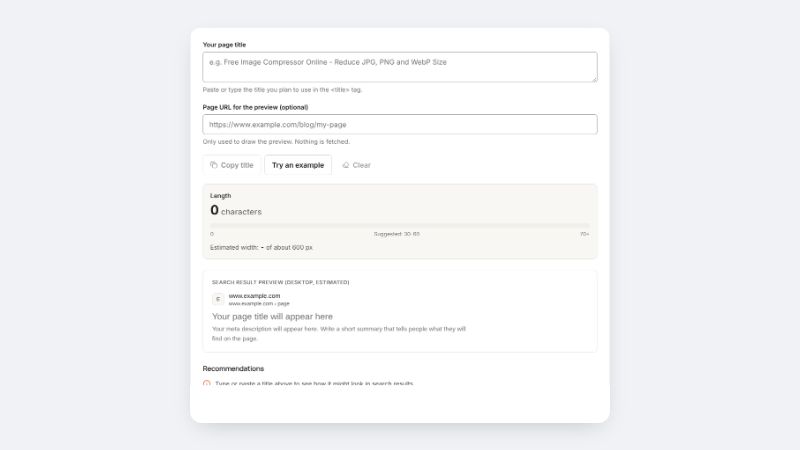
Put the key message in the first part so the most important words are always visible. The Meta Description Checker shows the length and a snippet preview as you type.
A reliable structure
- Say what the page is or does in plain words.
- Add the main benefit or a distinguishing detail, such as free, no sign-up or step-by-step.
- Finish with a gentle call to action when it feels natural: learn, compare, calculate, download.
Example for a tool page: "Calculate GST in seconds. Add or remove GST at any rate, see the CGST and SGST split and copy the result. Free and no sign-up."
Example for an article: "Learn how profit margin differs from markup, with simple formulas, worked examples and a quick way to set a price for your target margin."
Tips that help
- Write a unique description for every page. A page without one can be summarised automatically, but repeated text across many pages weakens each result.
- Match the page. Describe what the visitor will actually find. Misleading snippets raise bounce rates and damage trust.
- Use natural wording. Words that match the search are often shown in bold, but forced repetition makes the snippet unattractive.
- Skip raw URLs and long lists of keywords.
- Avoid ALL CAPS and excessive punctuation.
- End on a complete thought so the snippet reads like a finished sentence.
Mistakes to avoid
- Leaving the description empty or using the same one site-wide.
- Copying the first sentence of the page without checking it reads well alone.
- Stuffing keywords.
- Making promises the page does not keep.
- Writing one that is far too long, so the call to action is cut off.
When Google ignores it
Google may replace your description with text from the page. This is normal and not a sign that anything is wrong. To improve the odds that a good snippet is shown, make sure the page itself answers the question clearly near the top, uses descriptive headings and covers the topic well.
Put it together
Write your title first with the help of our guide to meta titles, then draft the description, and check both in the Meta Title Checker and Meta Description Checker. If you are working on a page of longer copy, the Word Counter helps keep the rest of your writing on target.