How to Write SEO Meta Titles That Get Clicked
A practical guide to writing page titles for search results: ideal length, pixel width, keyword placement, brand names, examples and mistakes to avoid.
By FreeToolsHub Editorial TeamPublished4 min read
Your page title is usually the first thing a person reads about your page. In search results it appears as the clickable headline, and it also shows in browser tabs, bookmarks and shared links. A clear, accurate title helps search engines understand your page and helps people decide to visit it. Here is how to write one.
What a meta title is
The meta title, often called the title tag, is the text inside the <title> element in a page's HTML:
<title>Image Compressor - Compress JPG, PNG and WebP</title>
Search engines use it, along with the rest of the page, to understand the topic, and they commonly display it as the headline of your search result. They may choose a different headline if they believe another one describes the page better, so the aim is to make your own title so clear that there is no reason to change it. Google explains how it creates title links in its Search Central documentation.
How long should it be?
There is no official character limit. Search results are laid out by pixel width, and on desktop the space is roughly 600 pixels. In practice that is often around 50 to 60 characters, but narrow letters take less room than wide ones, and capital letters take more. Treat the numbers as guidelines:
- Under about 30 characters: probably too thin to describe the page.
- About 30 to 60 characters: the range most guides recommend.
- Over about 60 to 70 characters: the end may be cut off with an ellipsis.
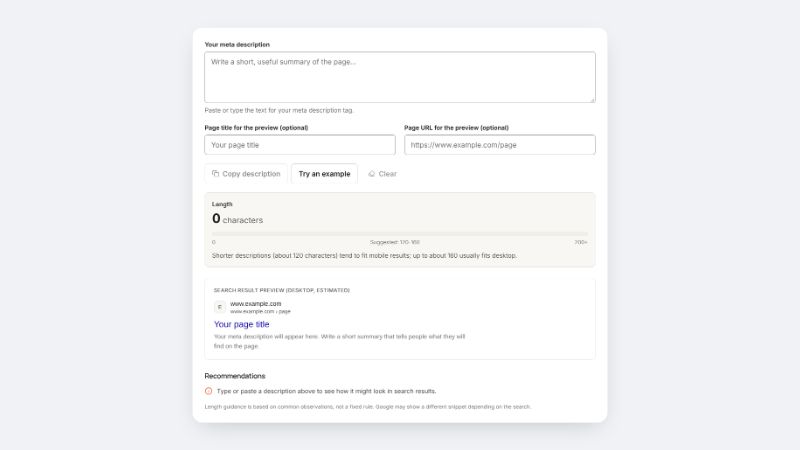
A longer title is not penalised; its tail just may not be visible. Put the most important words first. The Meta Title Checker shows both character count and an estimated pixel width so you can see where a title might be cut.
A simple formula
- Lead with what the page is about. Use the words a person would search.
- Add a clear benefit or qualifier if there is room, such as free, online, guide or calculator.
- Finish with your brand if it fits, separated by a dash or a vertical bar.
Examples:
- Weak: "Home" or "Untitled".
- Better: "GST Calculator - Add or Remove GST Online".
- Better still, if it fits: "GST Calculator - Add or Remove GST Online | FreeToolsHub".
Writing tips
- Be specific and honest. Describe what the page truly contains. Misleading titles bring visitors who leave straight away.
- Make every title unique. Duplicate titles across pages make it harder for people and search engines to tell the pages apart.
- Use natural language. Write for a reader, not for a robot. Do not stuff keywords or repeat the same word three times.
- Avoid ALL CAPS. It is harder to read and uses more space.
- Use numbers and years sparingly. They can help ("7 ways to..."), but outdated years look neglected.
- Match search intent. A how-to article, a calculator and a product page deserve different wording.
Common mistakes
- Using the site name alone, or the same title everywhere.
- Writing a title far longer than it can display, so the important words are hidden.
- Packing in keywords separated by commas or bars.
- Changing a title that already works without a reason.
- Writing a title that promises more than the page delivers.
Why Google may rewrite your title
Google may replace your title when it is too long, too vague, repeated across many pages or does not seem to match the content. If you notice this happening, simplify the title, make it match the page's main heading and make sure it is unique.
Check before you publish
Paste your draft into the Meta Title Checker to see the length, an estimated preview and plain-English recommendations. The Character Counter is handy for other limits too. Once the title is done, write its partner: our guide to writing meta descriptions covers the text that sits underneath it.
No title can guarantee a ranking, and search engines change how they display results. What a good title can do is represent your page accurately and give people a reason to click.